


NFC設定方法 / USER MANUAL
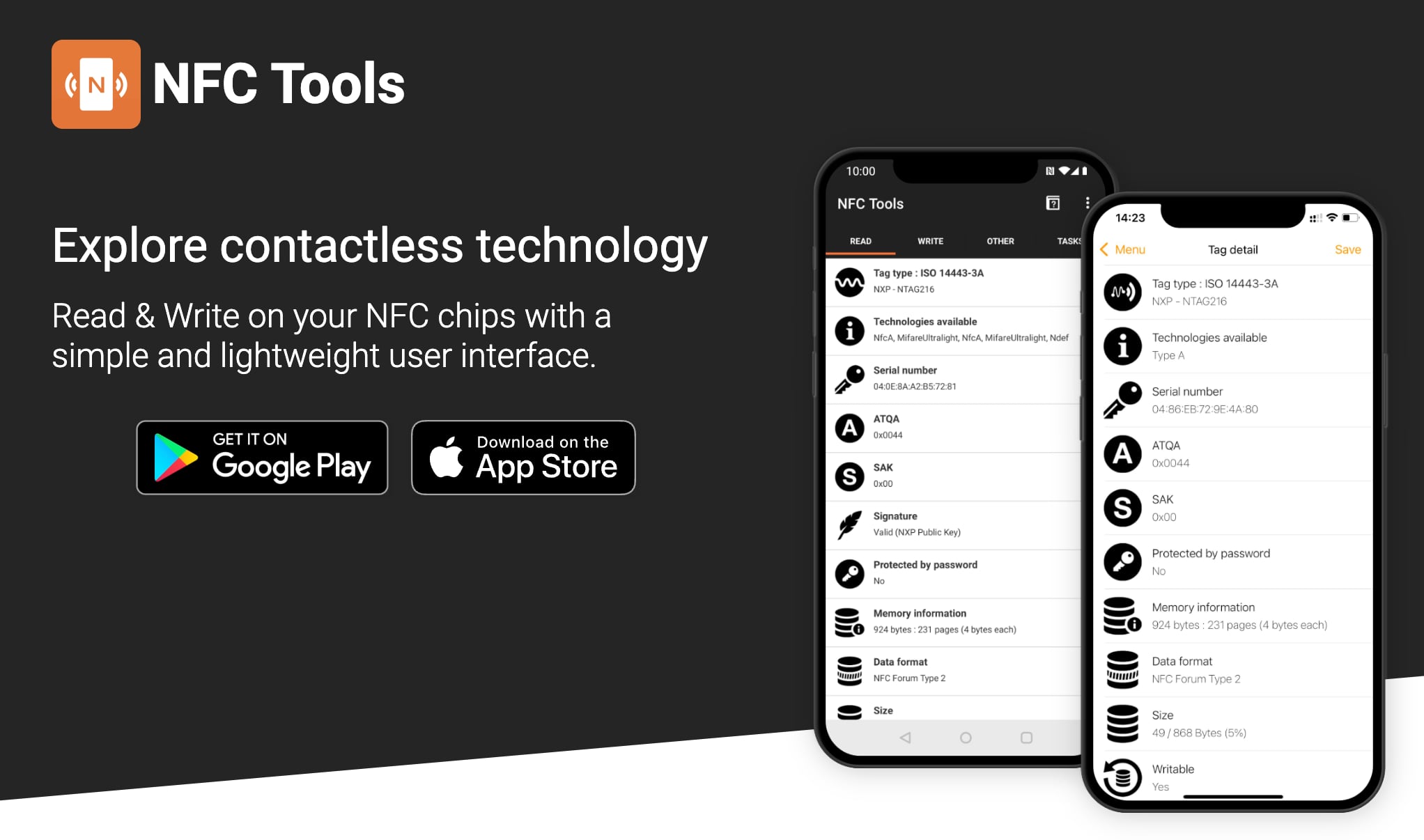
専用アプリのダウンロード(無料) / Download the free app
[JP]
App: NFC Tools: https://nfc.software
サイトの案内に従ってアプリケーションをダウンロードしてください。(無料です。)
※他のNFC読み書きツールでも対応可能なため、お好みのアプリをご利用いただいても問題ありません。
[EN]
App: NFC Tools: https://nfc.software
Please download the app by following the instructions on the website. (It is free.)
*You may also use any NFC read/write app of your choice, as other NFC tools are also compatible.
NFC製品への書き込み / Write to NFC Product
[JP]
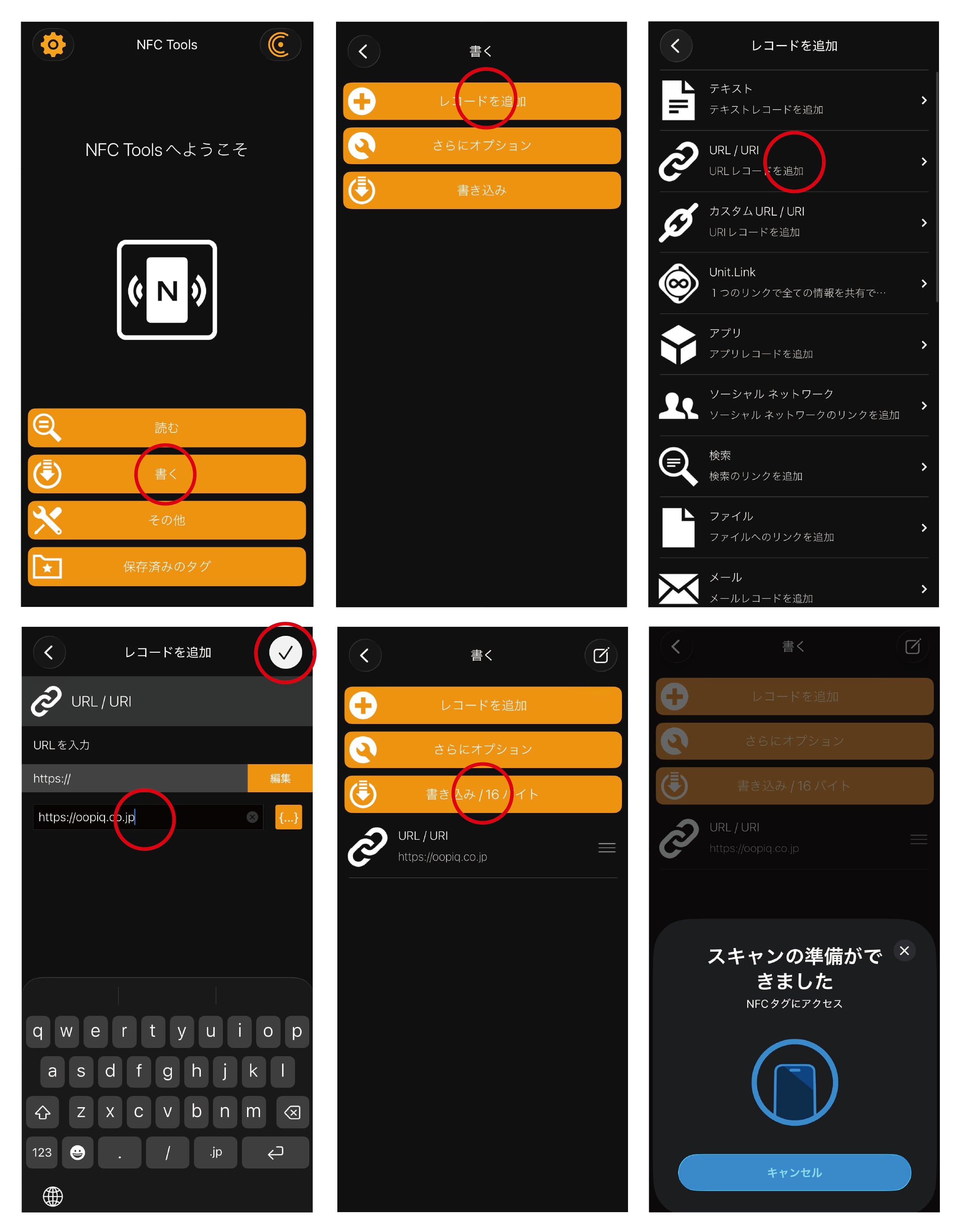
NFC製品にURL、Wi-fi情報、SNSリンク、テキストなどを登録して、スマートフォンから読み取れるように設定します。
・「NFC Tools」アプリを開いた後、「書く」の項目を選択する。
・「レコードを追加」を選択する。
・書き込みたい内容を選択する。 (例として「URL/URI 」を選択します。)
・書き込みたいURLを入力し、チェックボタンをタップする。
・「書き込み」を選択後、NFC製品にスマートフォンを近づけると書き込みが完了します。
[EN]
Write a URL, Wi-Fi information, SNS link, text, etc., to your NFC product so it can be read by smartphones.
・After opening the “NFC Tools” app, select “Write”.
・Select “Add a record”.
・Select the type of content you want to write. (In this example, select “URL/URI”)
・Enter the URL you want to write, then tap the check mark.
・Select “Write”, then hold your smartphone close to the NFC product to complete the writing process.
書き込み内容のロック / Lock the written data
[JP]
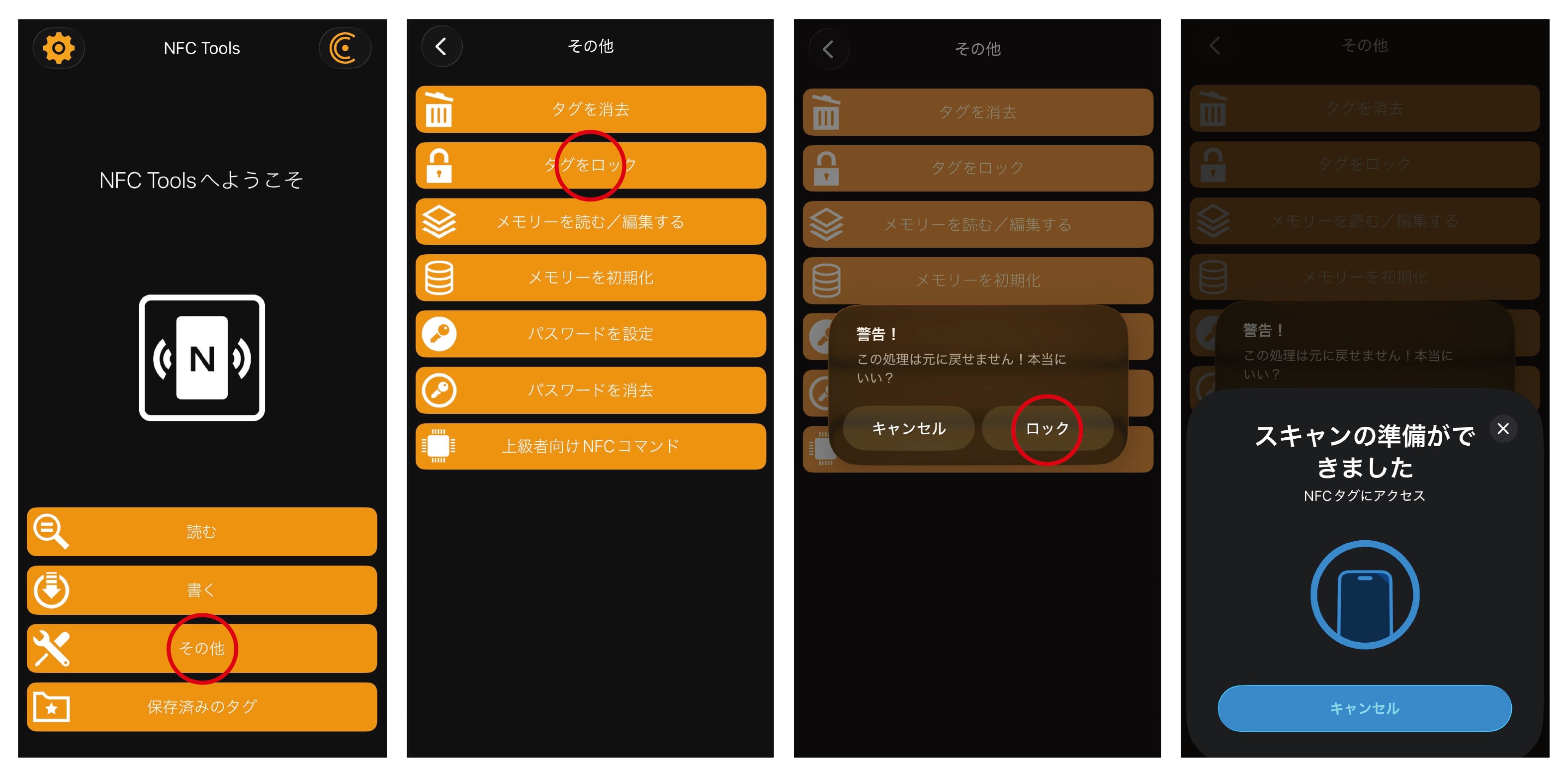
NFC製品に登録されているデータ内容をロックできます。これにより他者からのデータ内容の書き換えを防ぐことができます。
ただし、一度ロックするとその内容は二度と変更できなくなるためご注意ください。
・「NFC Tools」アプリを開いた後、「その他」の項目を選択する。
・「タグをロック」の項目を選択する。
・警告を確認して「ロック」を選択後、NFC製品にスマートフォンを近づけるとロックが完了します。
[EN]
You can lock the data written on the NFC product. This prevents others from rewriting the written data.
Please note that once the data is locked, it cannot be changed again.
・Open the “NFC Tools” app and select “Other”.
・Select “Lock tag”.
・Review the warning and select “Lock”. Then hold your smartphone close to the NFC product to complete the locking process.
NFCの読み込み / Read NFC Data
[JP]
NFC製品に登録されたデータ内容は、スマートフォンをかざすだけで簡単に読み取ることができます。
※一部の古い機種など、対応していないスマートフォンもありますのでご注意ください。
[EN]
The data stored on the NFC product can be easily read by simply holding a smartphone close to it.
*Please note that some smartphones, such as certain older models, may not be compatible.